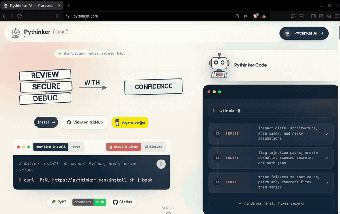
Terminal-native AI agent for code review, security, and debugging
pythinker-cli from PyModel is a terminal-native AI engineering agent for developers who prefer shell workflows. It inspects repositories to diagnose bugs, flag security issues, and propose corrective patches while staying inside the terminal. The app emphasizes a review-first loop that analyzes project artifacts before making edits, and it connects to external tools and editors to extend capability. Target users include software engineers, AI developers, and security auditors seeking an agent that fits a command-line centered workflow and tooling chain.
What tasks can you actually use it for?
The tool operates as a combined code reviewer, security scanner, and root-cause debugger, running an autonomous loop that inspects project artifacts. It performs static and dynamic analysis by parsing repository ASTs and examining test traces to detect defects before offering fixes. Practical outputs are diagnostic reports and candidate patches intended to reduce manual triage when maintaining or hardening codebases.
How reliable are its diagnostic and patch recommendations?
Analysis that uses repository ASTs and test traces produces more context-aware suggestions than blind generation, and the developer positions this methodology as improving patch quality and security. Outputs still require human validation for high-stakes changes; treat proposed edits as informed suggestions rather than commit-ready code, especially for complex or safety-critical modules.
What inputs and integrations does it require?
The agent connects through the Model Context Protocol to load external tools and supports the Agent Control Protocol for editor integration with Zed, VS Code, and JetBrains. It runs on desktop terminals across supported platforms and accepts conversational MCP configuration via a dedicated /mcp-config command. The plugin ecosystem and bring-your-own-LLM design mean many integrations depend on MCP-compatible plugins and explicit configuration.
Is it practical in a terminal-centric engineering workflow?
Designed for shell-first usage, the app includes an autonomous execution mode that iterates plan-execute-observe loops without step-by-step approval. That autonomy can speed routine fixes but raises operational risk if allowed unchecked in sensitive repositories. The architecture routes prompts to a user-chosen provider, which supports privacy preferences; incorporate the agent into existing review and CI gates to retain control over changes.
A practical choice for command-line engineers who pair automation with review
The tool is a practical option for terminal-focused engineers who need automated repository diagnosis and candidate fixes, provided outputs are treated as review inputs rather than final commits. Limit autonomous execution on sensitive code, run the agent’s findings through existing CI and code review workflows, and use editor integration to preview and adjust suggested edits before merging.